How much is your bank adding to the exchange rate? Type in the rate you were given and see the hidden charge, in % and in money
In this example, about 3.1%: a bank rate of 21.90 Thai baht per Australian dollar, against the European Central Bank reference rate of 22.60 (20 November 2026), costs you roughly 700 baht, or about 31 AUD, on 1,000 AUD, hidden in the rate rather than shown as a fee. Type your own numbers below to see your markup against today’s reference rate.
Type an amount and a rate above 0 to see the result.
Reference rates used here: European Central Bank, 20 November 2026 (Taiwan dollar: Exchange Rate API, 23 November 2026).
If you are changing money to buy crypto, or to send it abroad through a crypto exchange, our step-by-step guide shows how opening an account works.
What counts as a good exchange rate margin?
There is no official “good” margin, but there are two public yardsticks. In the EU, card issuers and anyone offering currency conversion at a cash machine or card terminal must state the conversion charge as a percentage markup over the latest ECB reference rate (Article 4 of Regulation (EU) 2021/1230). That is the same sum this calculator does. And for money sent home by migrant workers, the UN’s Sustainable Development Goal 10 (target 10.c) aims for a total cost (fee plus exchange-rate margin) under 3%, with no route costing more than 5%. If your markup alone is above 3%, it is worth getting a second quote.
Why the rate Google or a currency app shows is not the rate you get is covered in our guide to the mid-market rate and the margin.
Checking your own quote in four steps
- Pick the currency you have and the currency you get.
- Type the rate you were given exactly as it is written, then choose which way round it is written. A Bangkok counter might say “1 AUD = 21.90 THB”; a Sydney bank changing baht back might say “1 AUD = 23.30 THB” even though you are selling baht.
- Enter the amount, in the currency you have.
- Read the markup and the extra cost. The last box is filled in with today’s reference rate. If you have the mid-market rate (the wholesale rate banks trade at with each other) from the exact minute of your quote, type it there instead.
No rate on your receipt? Work it out from the two amounts: rate = amount you got ÷ amount you paid. For example, 21,900 THB received for 1,000 AUD is 21,900 ÷ 1,000 = 21.90.
How the markup is worked out by hand
Markup % = (reference rate − your rate) ÷ reference rate × 100. Extra cost in the currency you get = amount × (reference rate − your rate). Divide that by the reference rate to see it in the currency you have.
With the default numbers: (22.60 − 21.90) ÷ 22.60 × 100 = 3.10%. 1,000 × 0.70 = 700 THB, and 700 ÷ 22.60 = about 31 AUD. Now say a money app quotes 22.45 for the same 1,000 AUD. Its markup is 0.67%, about 150 THB (6.65 AUD). Same amount, same day, and the app’s markup is about a fifth of the bank’s. Turning both quotes into a percentage is what makes the gap easy to see. For what 1%, 3% or 5% means over a year of transfers, see what an exchange-rate markup costs in real money.
What the markup leaves out, and why it can look slightly off
It covers only the cost hidden in the rate. If the provider also charges a flat fee, add it yourself: a 10 AUD fee on 1,000 AUD is another 1%. “No commission” or “zero fee” does not mean no cost, because the markup is usually the bigger charge.
The reference rate is set once a day, but prices move all day. A gap of a few tenths of a percent can just be market movement, in either direction. That is also why a quote can now and then look slightly better than the reference rate. Before you commit, check the final amount you will receive on the provider’s own screen.
Where today’s reference rate comes from
The reference rate comes from the European Central Bank (ECB). Each working day, at around 16:00 CET (Central European Time), the ECB publishes euro reference rates for about 30 currencies, agreed in a daily check between central banks across Europe. The ECB publishes them for information only and strongly discourages using them for transactions. That makes them a fair yardstick for a quote, not a rate any bank will actually give you. The calculator turns them into US dollar rates and works out the rate between two other currencies, such as AUD to THB, through the dollar.
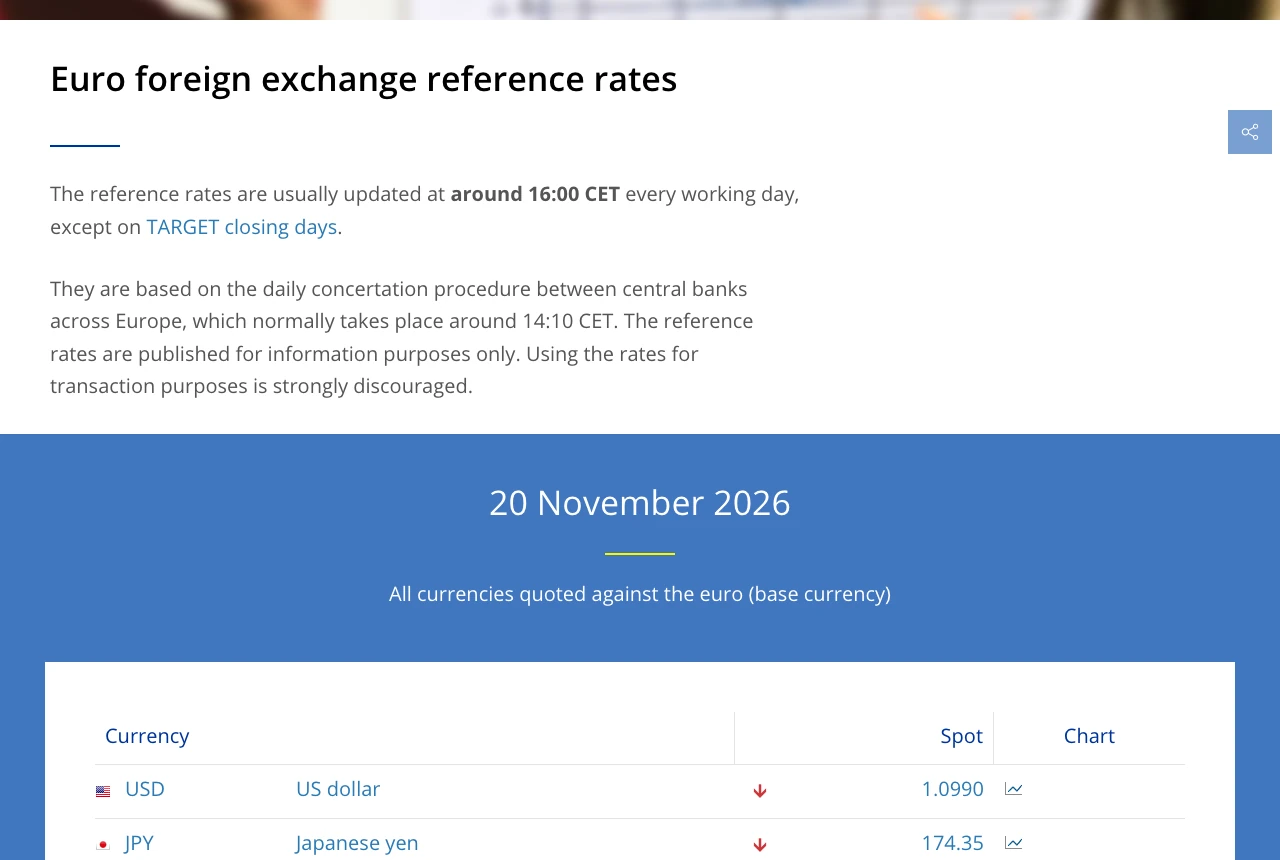
The ECB does not publish a rate for the Taiwan dollar (TWD). For any pair with TWD, and on days when the ECB rates can’t be shown, the calculator uses the daily rates from Exchange Rate API instead. Each time you open the calculator it picks up the newest rates from these two sources and shows the date they carry. If neither has a newer rate to show, it uses the rates in the table below and tells you which day they are from.
| Per 1 US dollar | ECB 20 Nov 2026 | Exchange Rate API 23 Nov 2026 |
|---|---|---|
| Euro (EUR) | 0.9099 | 0.9111 |
| British pound (GBP) | 0.7619 | 0.7636 |
| Japanese yen (JPY) | 158.64 | 158.70 |
| Australian dollar (AUD) | 1.5002 | 1.5070 |
| New Zealand dollar (NZD) | 1.8169 | 1.8269 |
| Canadian dollar (CAD) | 1.4307 | 1.4332 |
| Swiss franc (CHF) | 0.8392 | 0.8404 |
| Thai baht (THB) | 33.9050 | 33.9434 |
| Taiwan dollar (TWD) | — | 32.9681 |
| South Korean won (KRW) | 1,339.44 | 1,343.60 |
| Philippine peso (PHP) | 63.7770 | 63.9080 |
| Indonesian rupiah (IDR) | 18,263.00 | 18,276.10 |
| Indian rupee (INR) | 92.6800 | 92.7535 |
ECB figures converted from its euro rates to a US dollar base. Rates By Exchange Rate API.
Mistakes that make a bank rate look better or worse than it is
- Entering the rate the wrong way round (for example 0.0457 instead of 21.90). The calculator warns you when a rate looks inverted.
- Comparing a quote from today with a mid-market rate from last week, so market movement looks like a markup.
- Reading “no commission” as “no cost”.
- Forgetting a separate flat fee on top of the markup.
- Using a rounded headline rate instead of the rate on your receipt, which understates what you paid.
Questions about checking your bank's rate
Can I actually get today’s reference rate?
No. The European Central Bank publishes its reference rates for information only and strongly discourages using them for transactions. They are a yardstick: the closer your quote is to them, the less you are paying in the rate.
Why is the reference rate dated a day or more ago?
The ECB publishes once each working day, at around 16:00 CET. Before that time, at weekends and on its holidays, the latest figures are from the last working day. The calculator always shows the date the source gives.
Does the calculator send my numbers anywhere?
No. The amounts and rates you type stay in your browser and are not saved. The only thing the calculator downloads is the day’s list of reference rates, the same for every visitor.
What is a good exchange rate margin?
The closer to 0% the better, and the only reliable test is to compare two or three quotes for the same amount on the same day. As a public benchmark, the UN target for sending money home is a total cost under 3%, with no route above 5%.
Read next on exchange-rate costs
- European Central Bank — Euro foreign exchange reference rates (publication time and “information purposes only” note, checked November 2026)
- Regulation (EU) 2021/1230 on cross-border payments, Article 4 (currency conversion charges shown as a markup over the ECB rate)
- United Nations — Sustainable Development Goal 10, target 10.c (remittance costs under 3%)
- Rates By Exchange Rate API (Taiwan dollar, and other rates on days the ECB rates can’t be shown)
Last updated 23 November 2026. The calculator compares a quote with a published reference rate; it is not financial advice, and the rate you can actually get is the one the provider confirms.